
If you’re keeping good records with the Chemical Tracking feature, you know how long it can take to key in every product and its details. We built AI-powered assistance to take that off your plate. As you create or edit a chemical product, our AI pulls EPA registration data, manufacturer information, application rates, and other key details from trusted sources such as EPA.gov and manufacturer sites to help you complete your records quickly and accurately.
Add a Chemical Product
Simply enter a Product Name and press Save, the system will automatically:
- Search the web for official product information
- Look up EPA registration details
- Find manufacturer specifications
- Retrieve recommended application rates and dilution instructions
- Gather information from trusted sources
This process happens in the background, so you can continue working without waiting.
Optionally, you can also add the EPA number for better accuracy.

Update Existing Products
Already have chemical products in your system? You can trigger the AI assistant for existing products:
- Edit the existing chemical product
- Make a small change to the Product Name field (for example, add a space at the end)
- Save the record
Review AI Suggestions
After saving your chemical product:
- Wait around 10 seconds for the AI to complete its search
- Refresh the list page (press F5 or click the refresh button)
- Look for the AI/LLM indicator below your chemical product
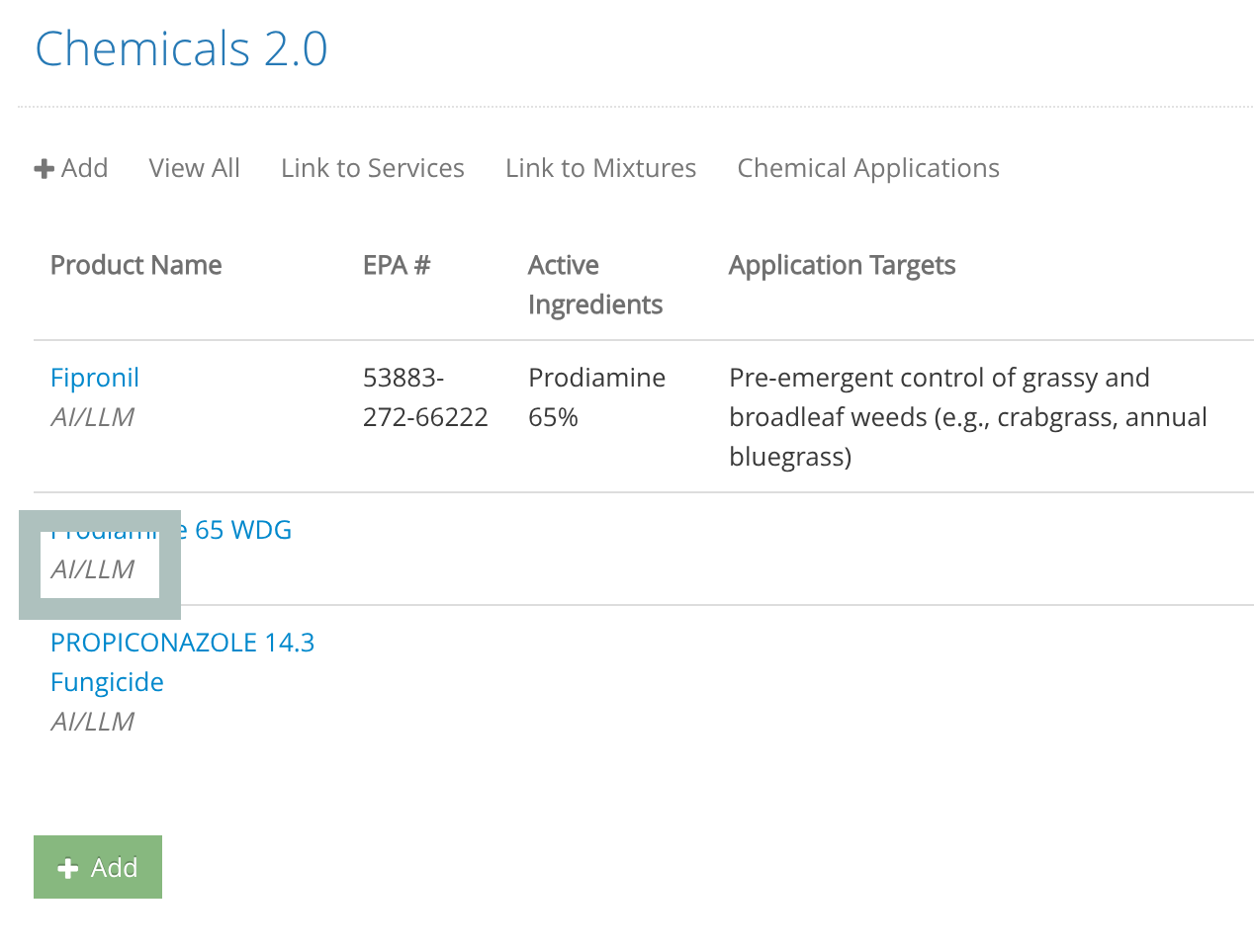
When you see the AI/LLM indicator, it means the AI has successfully gathered product information and suggestions are ready for you.
Click on the product name to open the Edit Page.
Scroll down below the form to see the AI-Suggested Values section.

Copy AI-Suggested Values
You can copy AI-suggested values one field at a time, or apply all the values at once.
Once you’re satisfied with the information, click the Save button at the bottom of the form.
Note: This information is gathered by AI/LLM and may not be 100% accurate. Always verify critical details against official product labels and EPA documentation before use.