
Link Yardbook with Twilio
If you already have a Twilio account, linking the two accounts is simple.
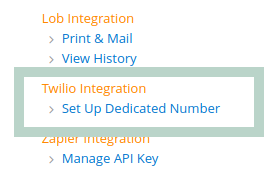
Open the “Set Up Dedicated Number” link from Sitemap.
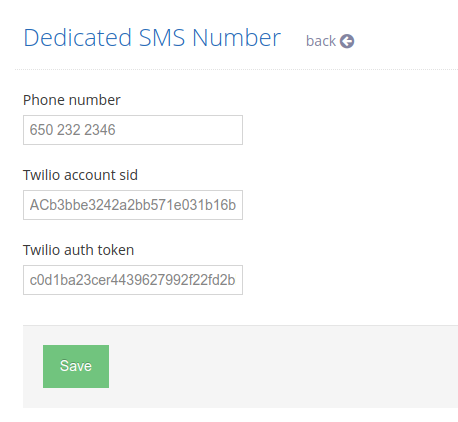
On the next page, enter your SMS phone number, and your Twilio SID and Token.
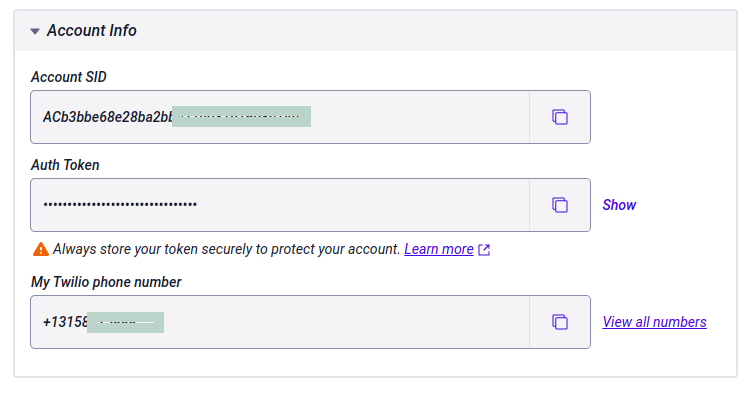
You can find the authentication information in your Twilio account on the Dashboard Page.
Once your accounts are linked, you can use all your texting features as before. Messages will be sent and received using your dedicated number.
You can send a test message to yourself and make sure everything is working correctly. Twilio will provide a status after you send the message. You can check the Bulk Messages page and see if there are any errors.
Sitemap -> Send Bulk Message

Sometimes, Twilio will return a 5 digit error code, and you can find the details about the error here.
Please feel free to contact us if you have any questions. ([email protected])