
Step 1 – Create a Twilio account and buy a phone number
Create an account in Twilio
If you don’t already have an account on Twilio, you will need to create one.
Go to https://www.twilio.com and sign up for a new account.
Select the following options during your sign up.
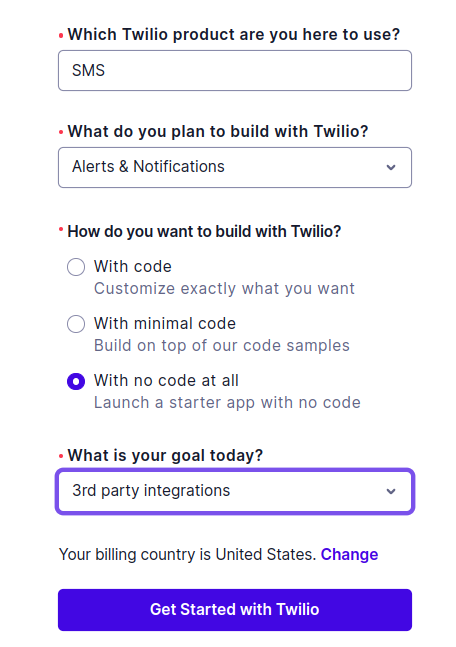
After logging into your new account, proceed to purchase a number.
Purchase a dedicated number
To use a dedicated number with Yardbook, you’ll purchase a local 10-digit number (10DLC) in Twilio.
Typical costs (U.S.)
Twilio pricing can change over time and varies by message type and carrier fees, but these are common baseline costs:
- Local phone number: $1.15/month
- SMS (per message segment): about $0.0083 to send and $0.0083 to receive (U.S.)
- A2P 10DLC registration fees: typically include one-time brand/campaign setup fees plus an ongoing monthly fee (often around $2/month for low-volume use cases).
For the most current details, refer to Twilio’s pricing pages and A2P 10DLC fee documentation.
Buy your number in Twilio
To buy a number, go to Twilio Console (link: https://console.twilio.com), and navigate to:
Develop → Phone Numbers → Manage → Buy a Number
Purchase a local 10-digit number.
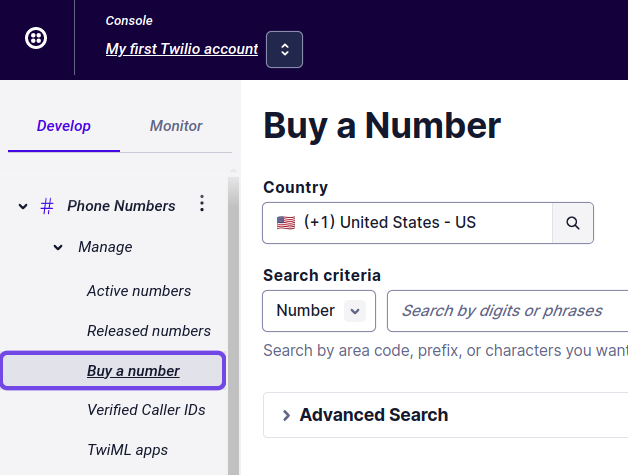
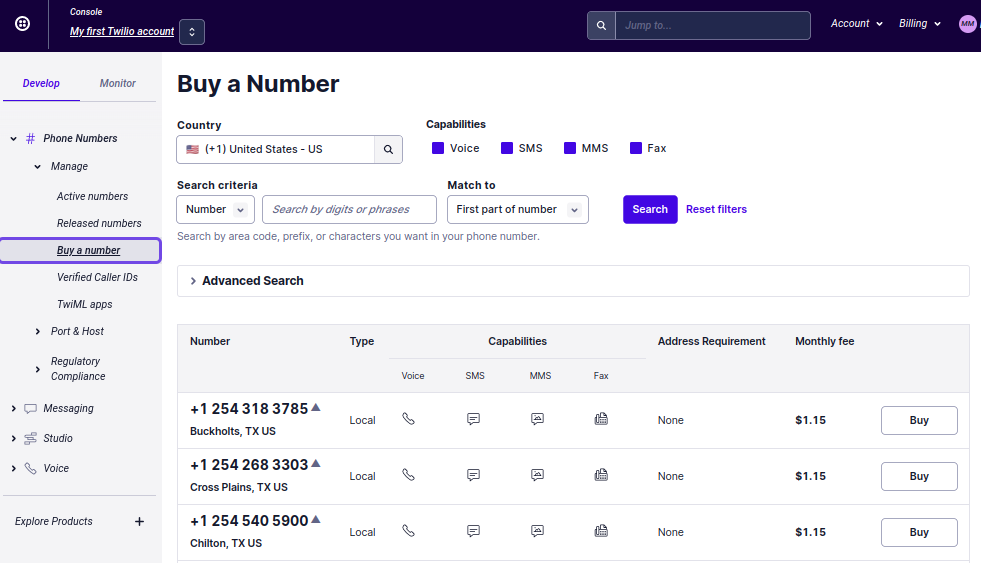
Next Step: Register for A2P 10DLC
After you purchase a local number, you’ll need to complete A2P 10DLC registration to reduce message filtering by carriers.
Choose the option that matches your business:
No EIN/Tax ID: Register as a Sole Proprietor → Click here
Have an EIN/Tax ID: Register as a Business → Click here
While You Wait: Use Yardbook Toll-Free Texting
A2P 10DLC approval can take up to a couple of weeks. While you’re waiting, you can use Yardbook’s toll-free numbers to send one-way messages.
This is automatically enabled if you don’t have a dedicated number linked to Yardbook.