
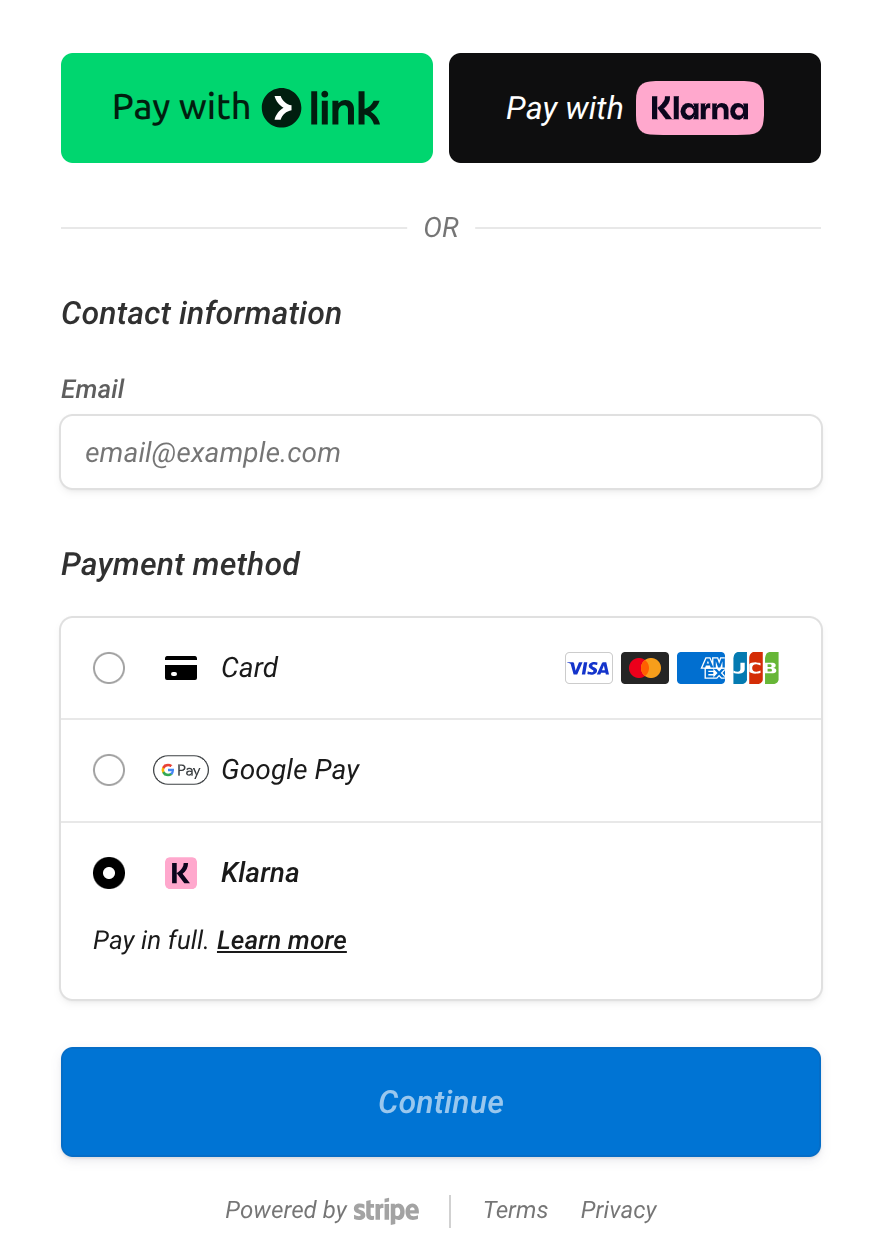
We are thrilled to introduce Klarna as a new payment option, offered seamlessly through our integration with Stripe! You can now offer your customers the flexibility to “buy now and pay later,” making it easier for them to manage their cash flow while you still get paid immediately.
What is Buy Now, Pay Later (BNPL)?
Buy Now, Pay Later (BNPL) is exactly what it sounds like. It allows your customers to split the cost of their invoice into smaller installments over time.
The best part for you: You do not have to wait for those installments. When a customer pays using Klarna, you get paid the full amount upfront, exactly as if they had used a standard credit card. Klarna takes on 100% of the risk of collecting the remaining payments from the customer.
Why should I enable Klarna?
Offering flexible payment options is proven to help businesses grow. By turning on Klarna, you can expect:
- Higher Conversion Rates: Customers are more likely to pay larger amounts immediately if they can split up the cost.
- Increased Average Order Value: Customers tend to spend more when they have the flexibility to pay over time.
How do I enable it?
Klarna is currently available as a beta feature. Please contact our support team for early access.
Once our team has enabled it for your account, you can set Klarna as a payment method option in your Invoice settings page so it automatically appears as an option on every invoice you send.
Sitemap -> Settings -> Setup Credit Card Processing
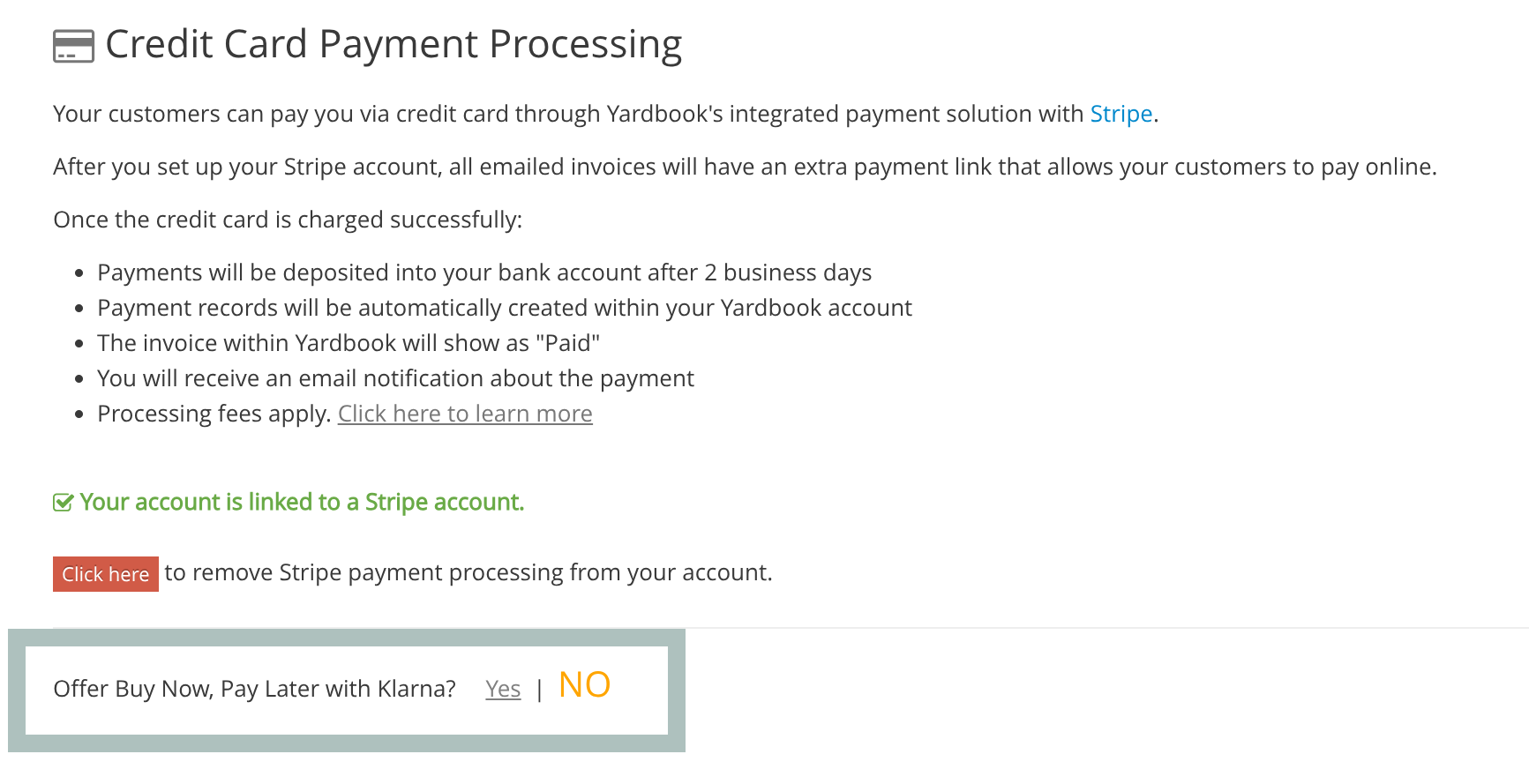
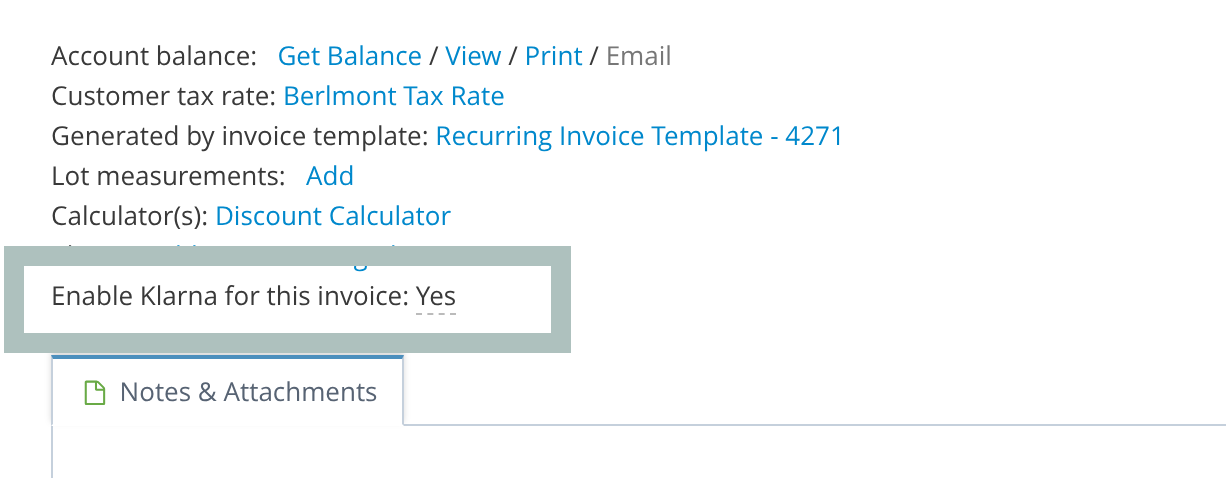
Note: If you prefer to offer Klarna only for certain transactions (like exceptionally large invoices), you can leave the global setting turned off. Instead, you can manually toggle Klarna on directly from the Invoice Details page for the specific invoices you choose.
Frequently Asked Questions (FAQs)
When do I receive the funds from a Klarna payment? You receive the funds upfront. The payout schedule for Klarna transactions follows your exact same standard Stripe payout schedule.
How do I process refunds for Klarna payments? To process a refund for a Klarna payment, you will need to log directly into your Stripe Dashboard. Simply initiate the refund from your Stripe account just like you would for a standard credit card payment. Stripe will pull the funds from your balance, and Klarna will automatically handle adjusting the customer’s future installments or refunding their bank account.
Can I pass the processing fee to my customer if they use Klarna? No. Klarna prohibits merchants from surcharging or passing processing fees directly to the buyer. To enable Klarna, you must first ensure that the option to pass processing fees to your customers is turned off in your settings.
Why isn’t Klarna showing up on my customer’s payment page? Once you enable Klarna for an invoice, its availability is managed automatically by Stripe in the background. Stripe dynamically determines if Klarna can be offered based on factors like the invoice total (Ex. minimum and maximum purchase limits), the customer’s location, or the currency. If it does not appear, the transaction may not meet Stripe or Klarna’s eligibility requirements.
Do my customers need a Klarna account? If they don’t already have one, they will be prompted to quickly create a Klarna account during the checkout process. It only takes a few moments, and they will receive an instant approval decision.